Client playbook

The client playbook
A clearer way to manage properties with PropertyAssistAI
A practical introduction for management companies, property managers, boards and residents. Explore connected services, informed oversight and a rollout planned around your community.
Prepared for prospective partners · propertyassistai.ca
Chapter 01
One platform, the whole operation
Bring daily operations, financial oversight, corporate records and resident services together around each property.
Resident communications
Prioritised messages and prepared replies for review
Portfolio oversight
Property performance and clear daily priorities
Maintenance & vendors
Coordinated repairs, assigned work and vendor records
Tasks & approvals
Clear responsibilities and documented spending decisions
Community records
Contacts and correspondence connected to each property
Financial oversight
Budgets, balances, invoices and audit preparation
Compliance tracking
Visible deadlines, responsibilities and supporting records
Board packages
Prepared information for internal review and board sharing
AGMs & governance
Organised notices, proxies, meetings and decisions
Status certificates
Requests and approvals tracked through to issue
Property documents
Accessible records with version history and search
Incident management
Documented concerns and visible follow-up
Capital projects
Approved work and reserve fund spending in view
Community portals
Convenient access for residents, directors and vendors
Intelligent assistance
Drafts, summaries and suggestions for human review
Information policies
Choices that support responsible use of AI services
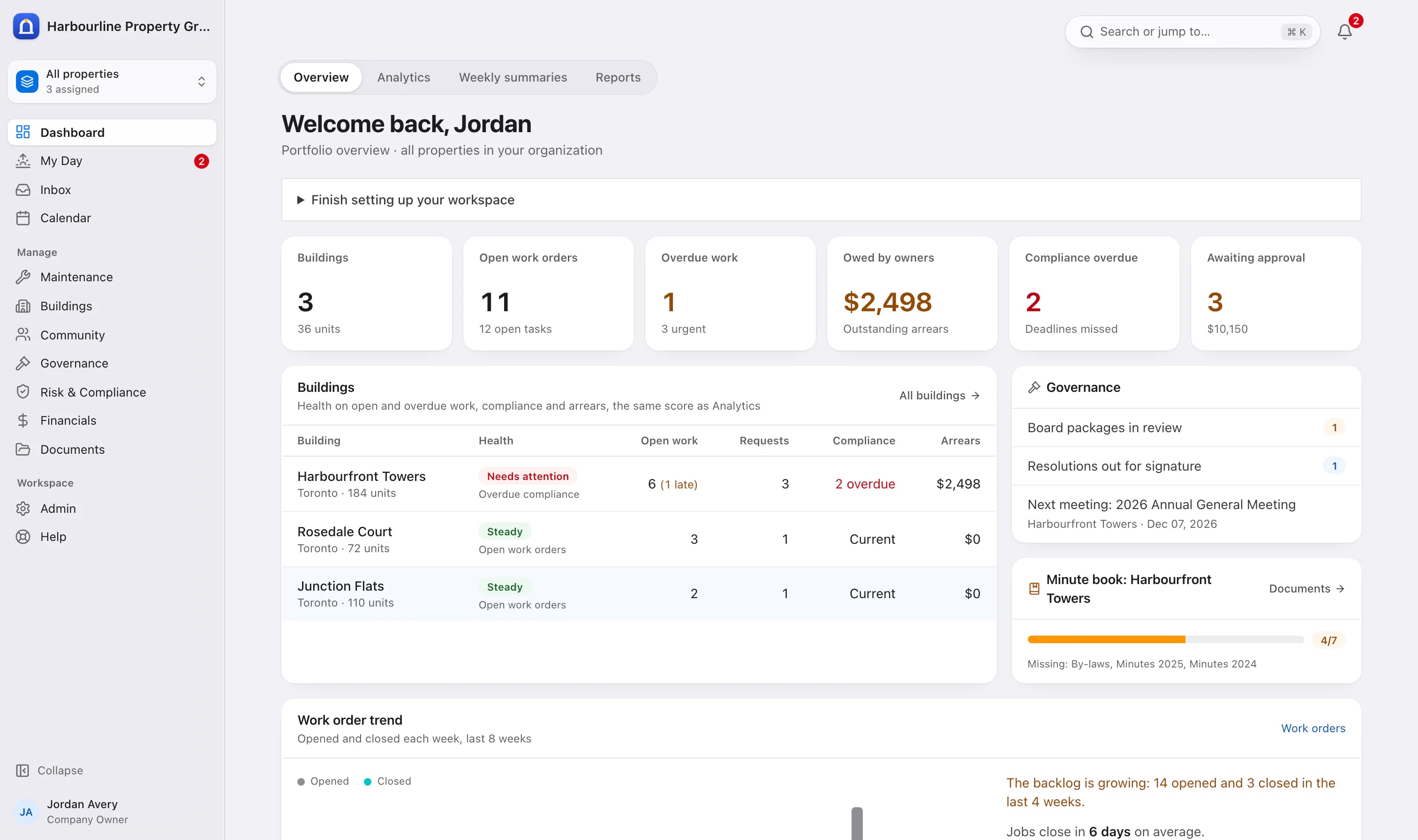
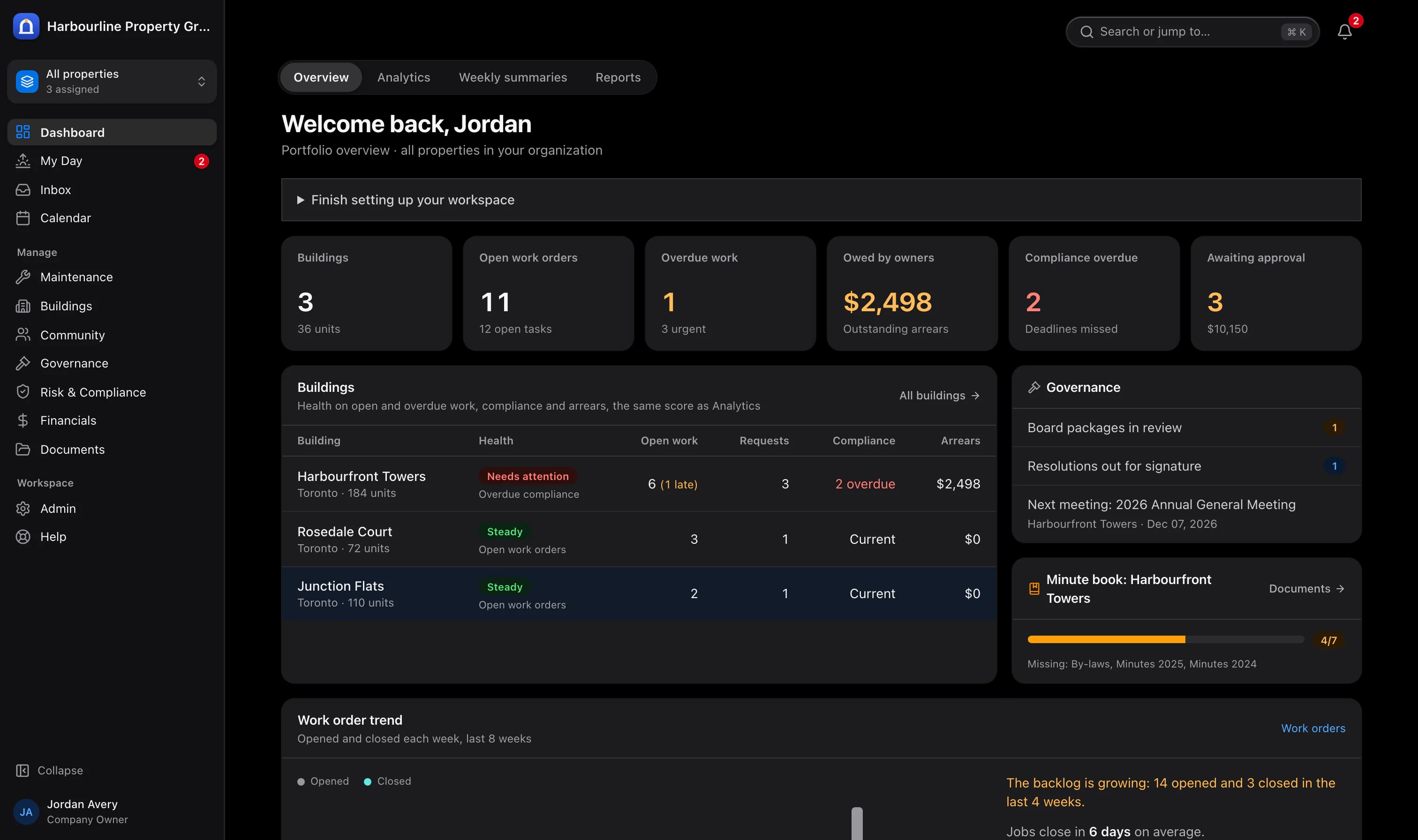
The owner reviews portfolio priorities and outstanding work. Sample data from Harbourline Property Group.
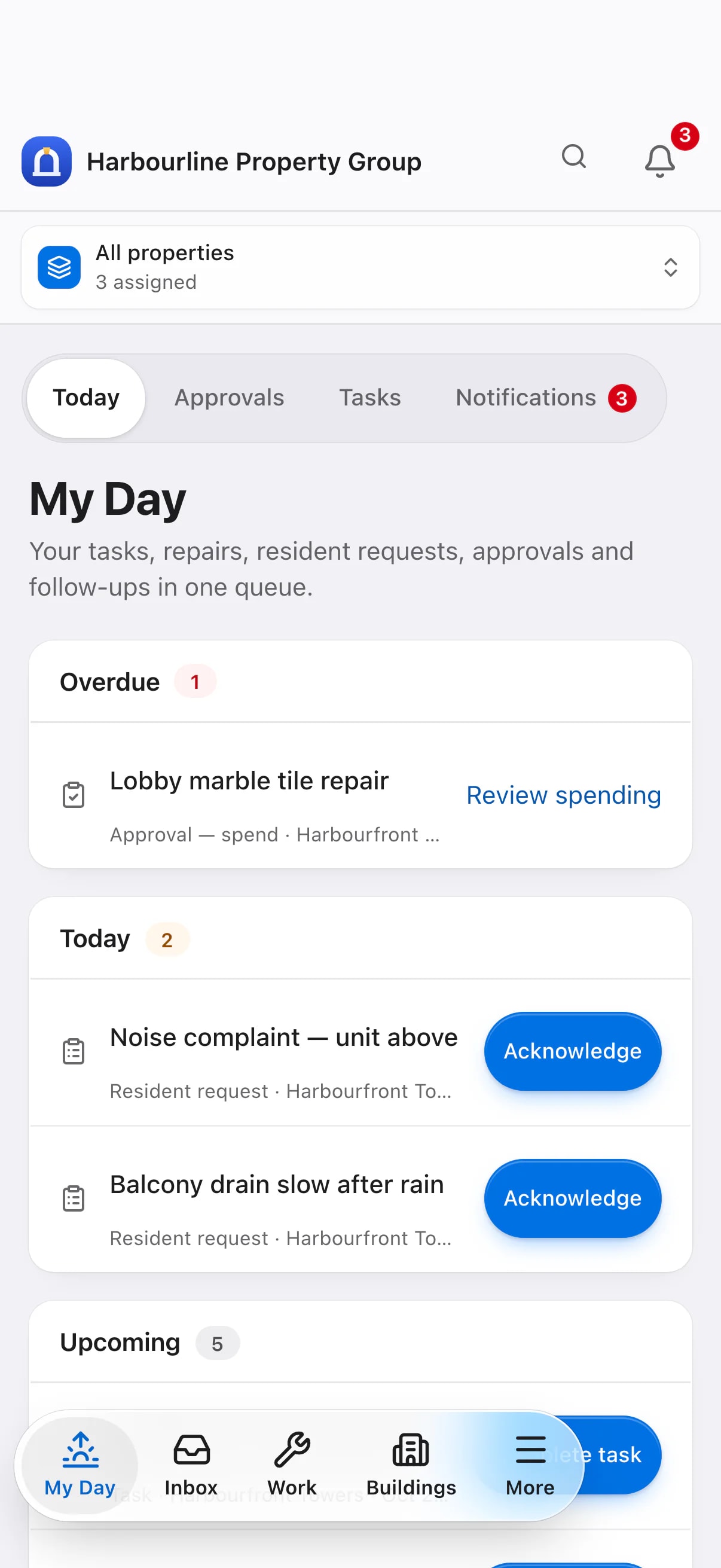
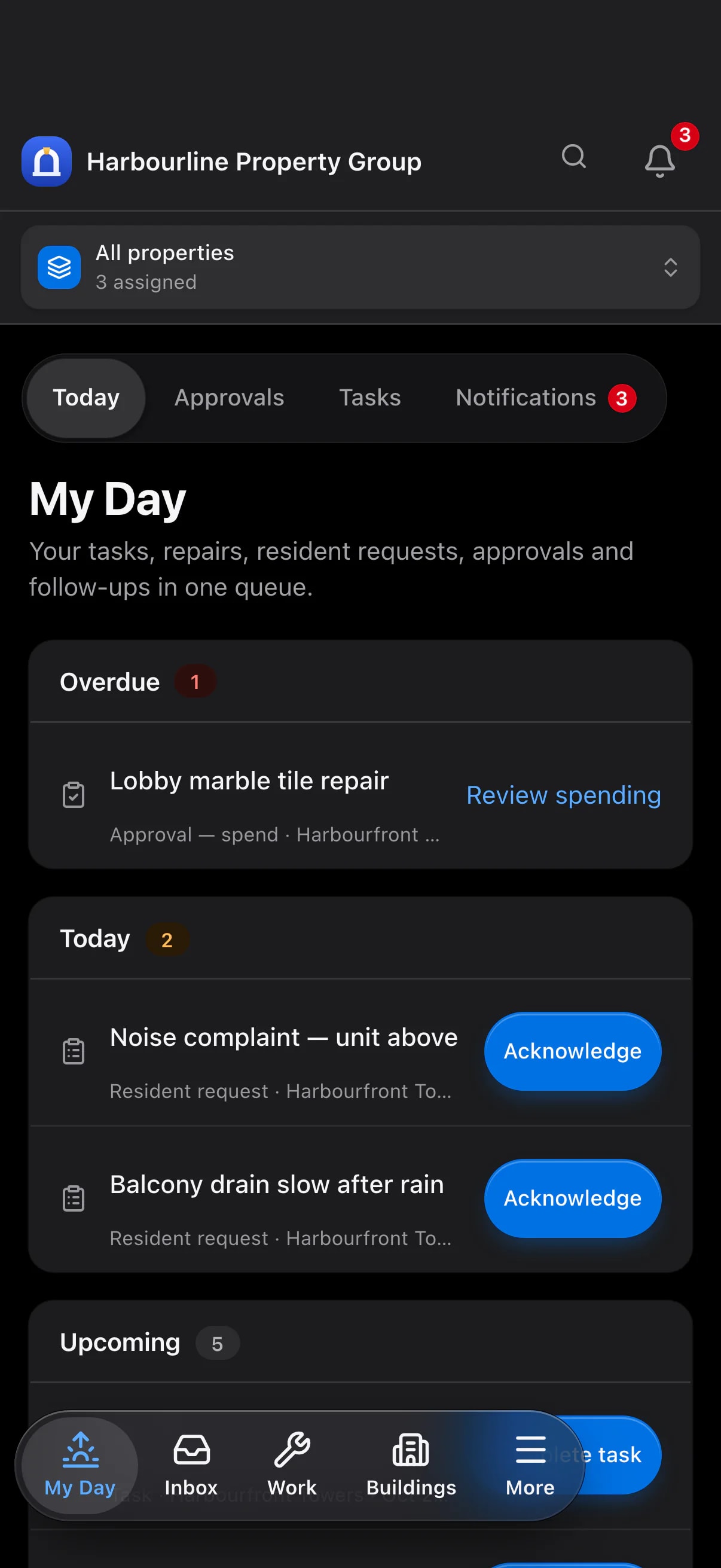
A manager's daily priorities on a phone. Sample data from Harbourline Property Group.
Chapter 02
What success looks like, role by role
Give each person information and tools appropriate to their responsibilities, from portfolio leadership to resident services and board decisions.
Management companies & leadership
Maintain clear oversight as your portfolio grows.
- Review property performance, outstanding work and team priorities
- Support consistent practices across buildings and assignments
- Keep important approvals and decisions available for review
- Identify properties and teams that need additional support
Regional managers
Support consistent service across every team.
- Compare property responsibilities and workloads
- Keep overdue compliance work and upcoming deadlines in view
- Review spending and board packages through shared approval processes
- Use common templates and checklists to maintain standards
Property managers
Manage daily responsibilities with clarity and confidence.
- Prioritise resident communications and review prepared replies
- Keep follow-up tasks connected to the information behind them
- Coordinate repairs from resident request through work order completion
- Prepare board information and track upcoming responsibilities
Resident services & administration
Provide informed, considerate service.
- Review requests with relevant property and contact history
- Find correspondence and shared documents when responding to enquiries
- Prepare consistent notices and letters with shared templates
- Access the information appropriate to each team member's responsibilities
Finance teams
Support financial decisions with clear records.
- Review budgets and actual spending by property and category
- Follow documented invoice approvals and spending limits
- Track outstanding balances and prepare arrears summaries
- Organise records throughout the year for audit preparation
Board members
Govern with the information and records you need.
- Review shared meeting packages and building summaries
- Participate in votes and sign circulated resolutions
- Understand financial performance and outstanding responsibilities
- Maintain continuity through organised minutes and decision records
Residents
Access community information and services conveniently.
- Submit maintenance requests and follow their progress
- Read notices and access documents shared with your community
- Review account balances and available payment options
- Book amenities and stay connected to property services
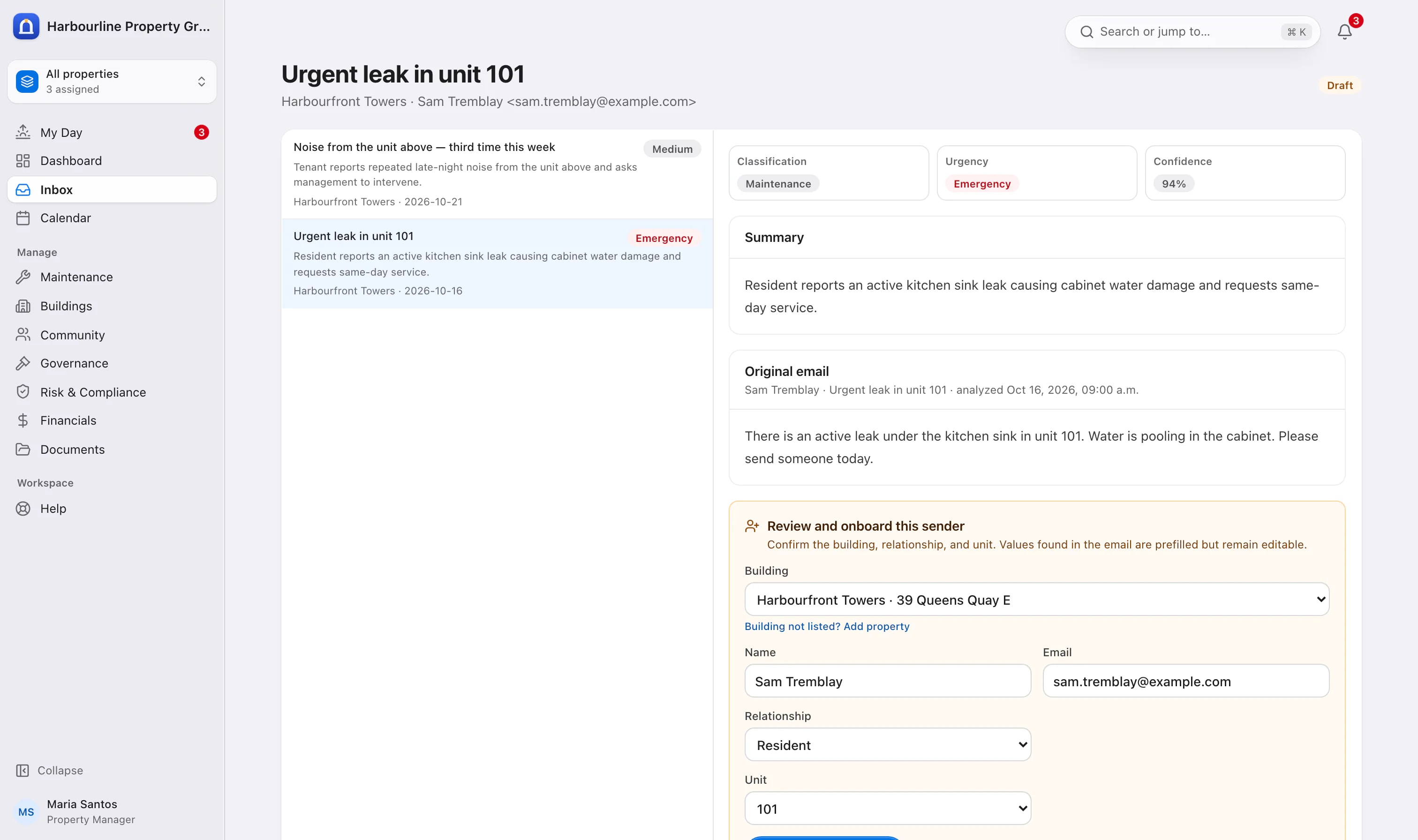
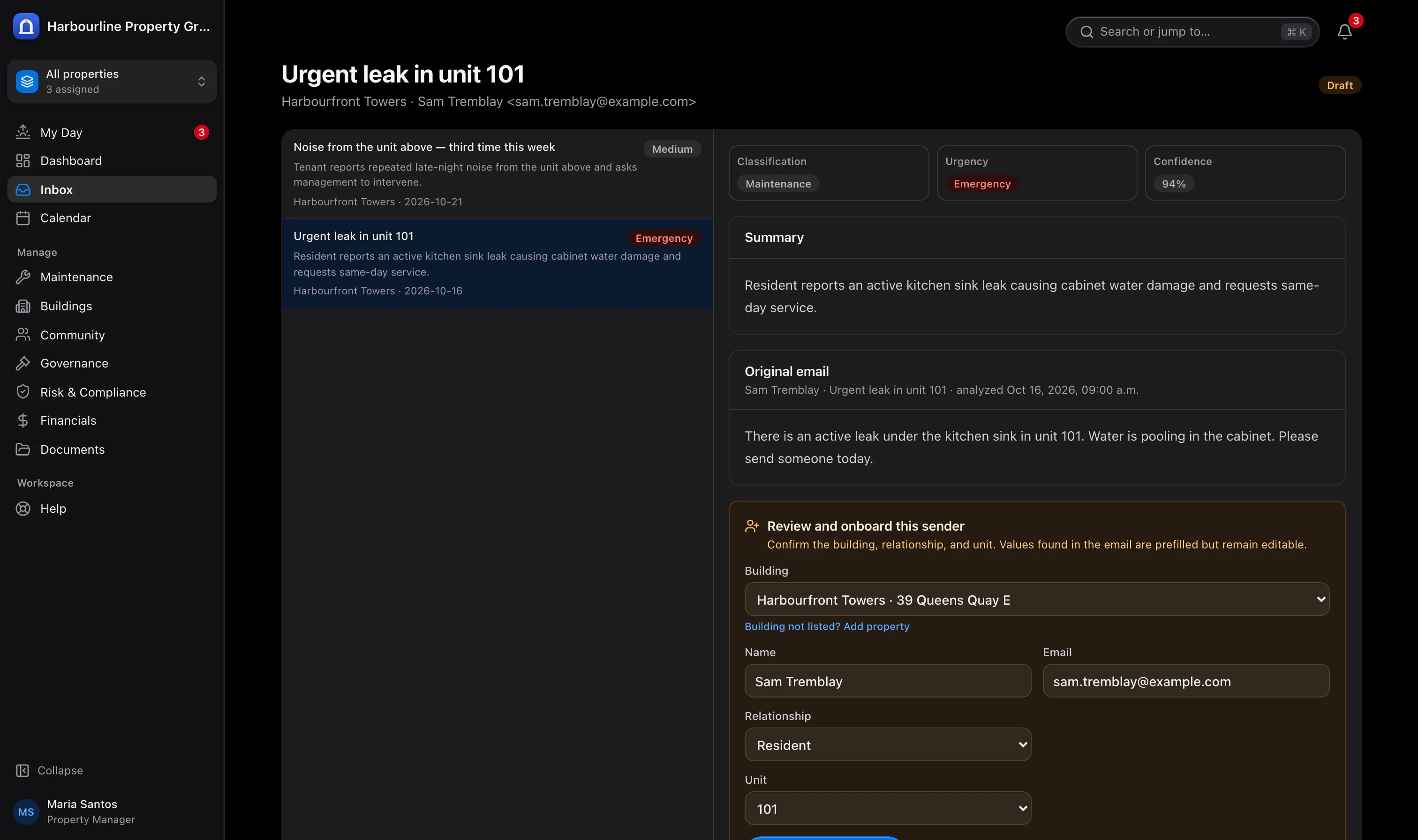
A manager reviews the concern and its prepared response. Sample data from Harbourline Property Group.
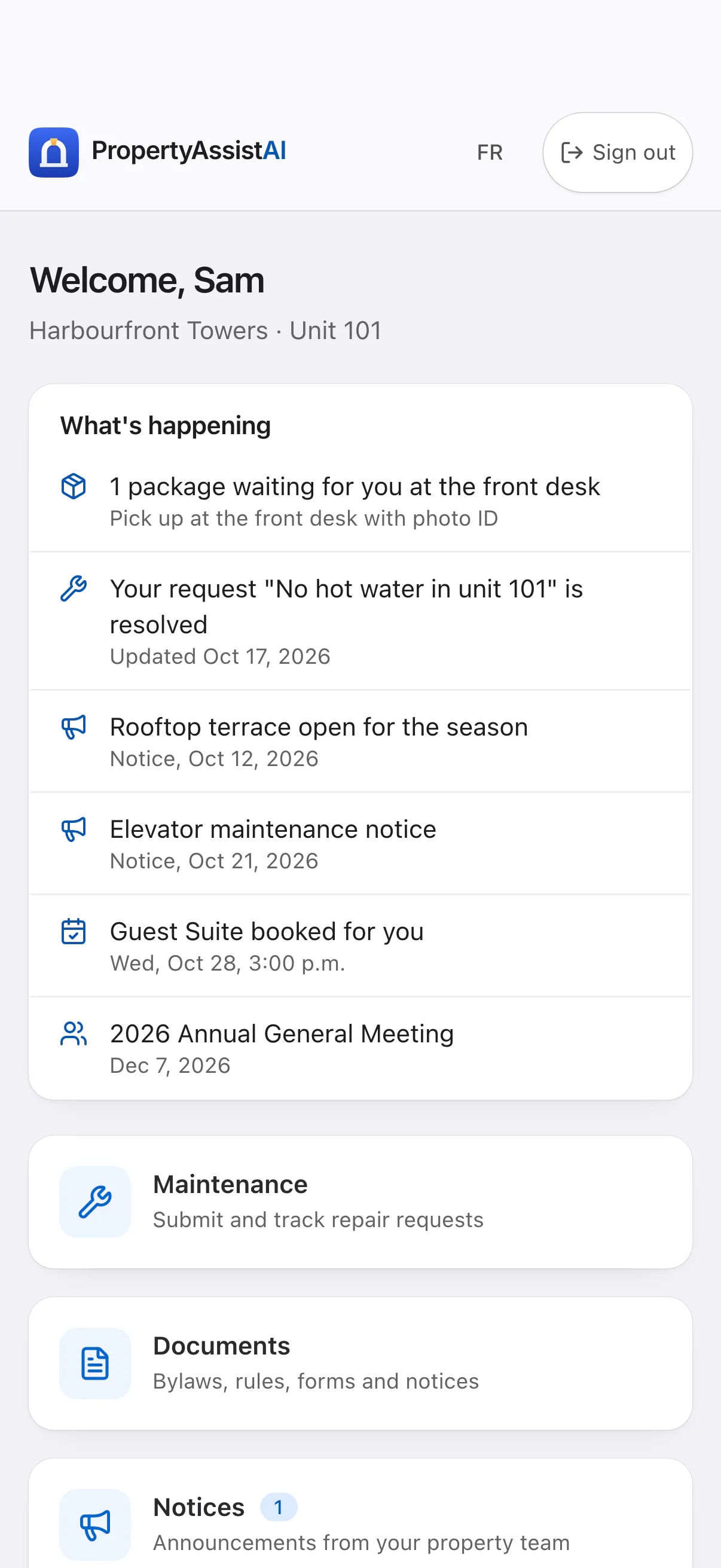
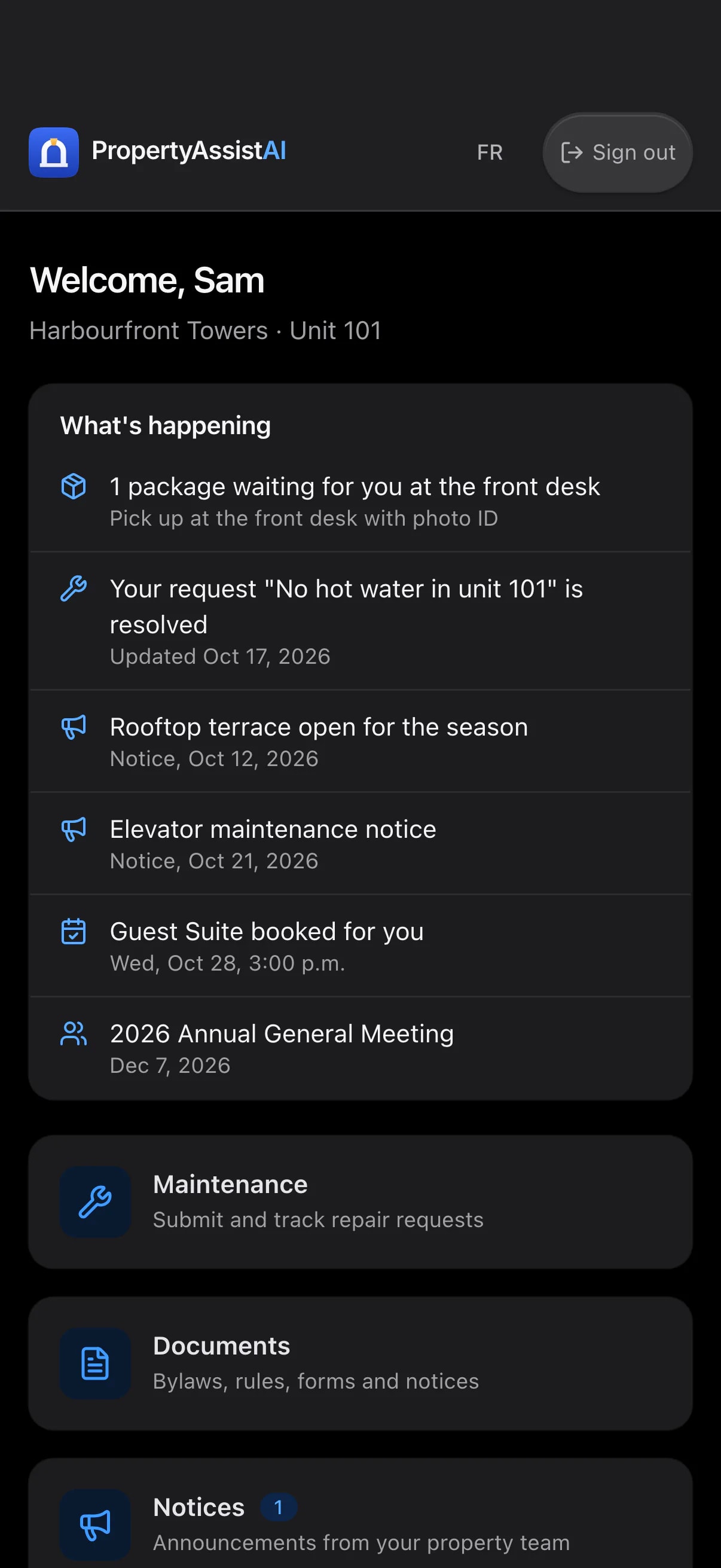
The resident's community services. Sample data from Harbourline Property Group.
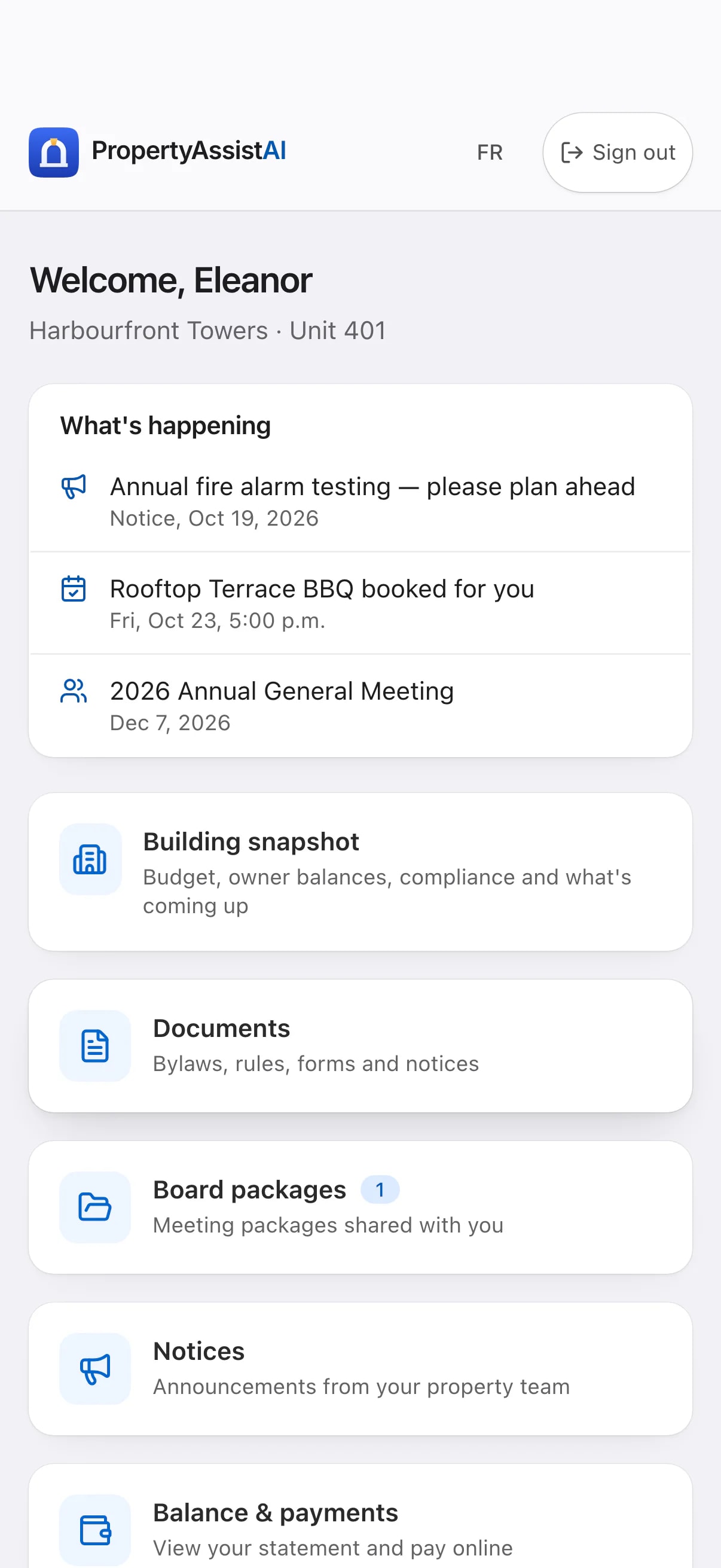
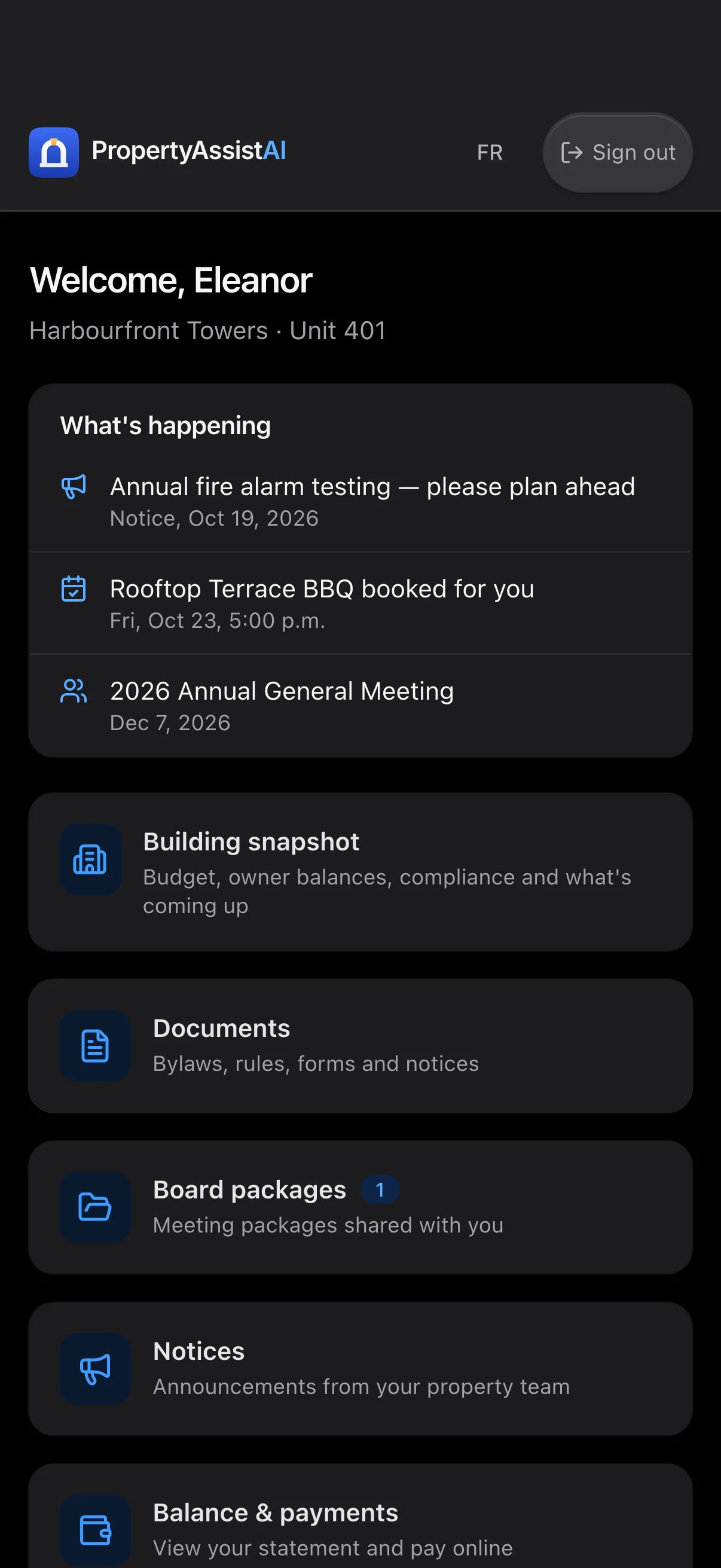
The board member's shared information. Sample data from Harbourline Property Group.
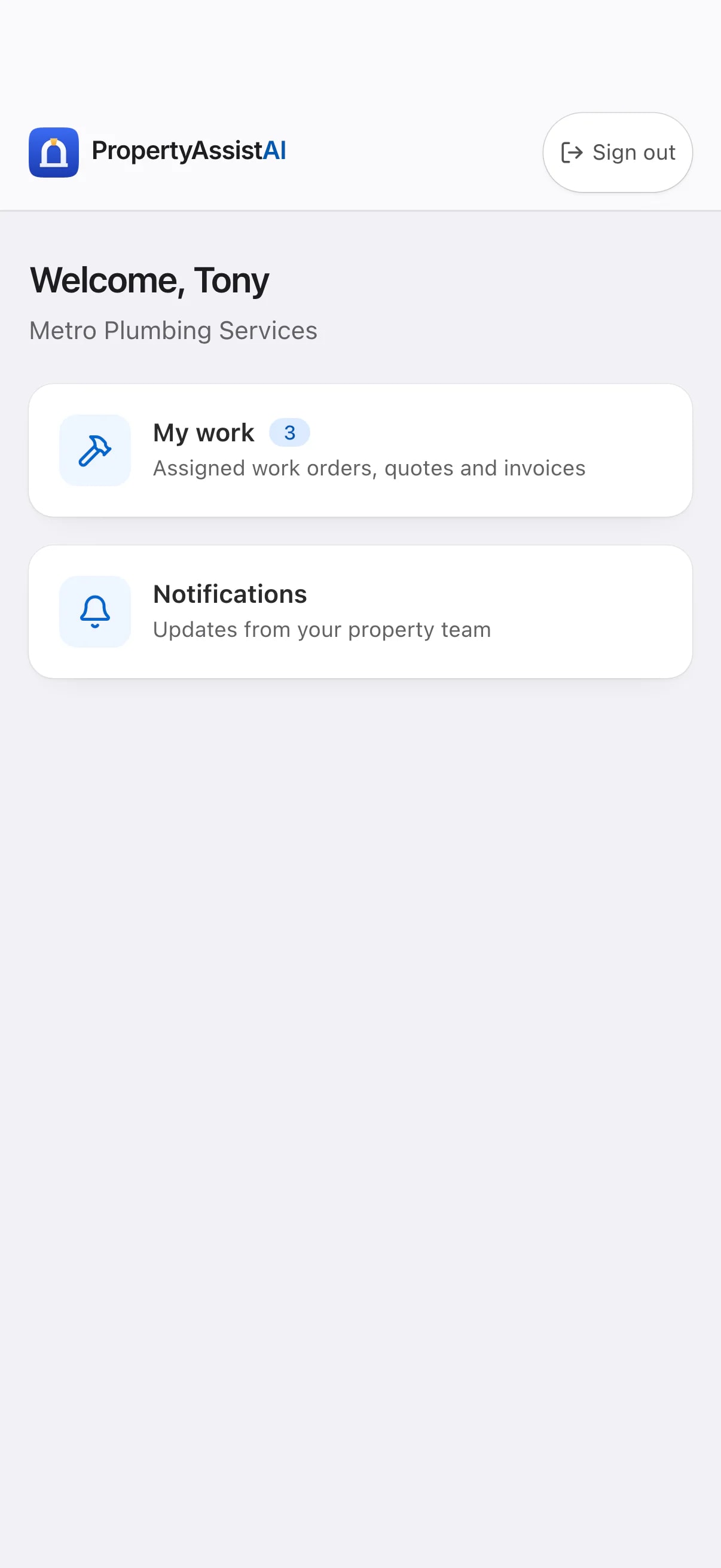

The vendor's assigned work. Sample data from Harbourline Property Group.
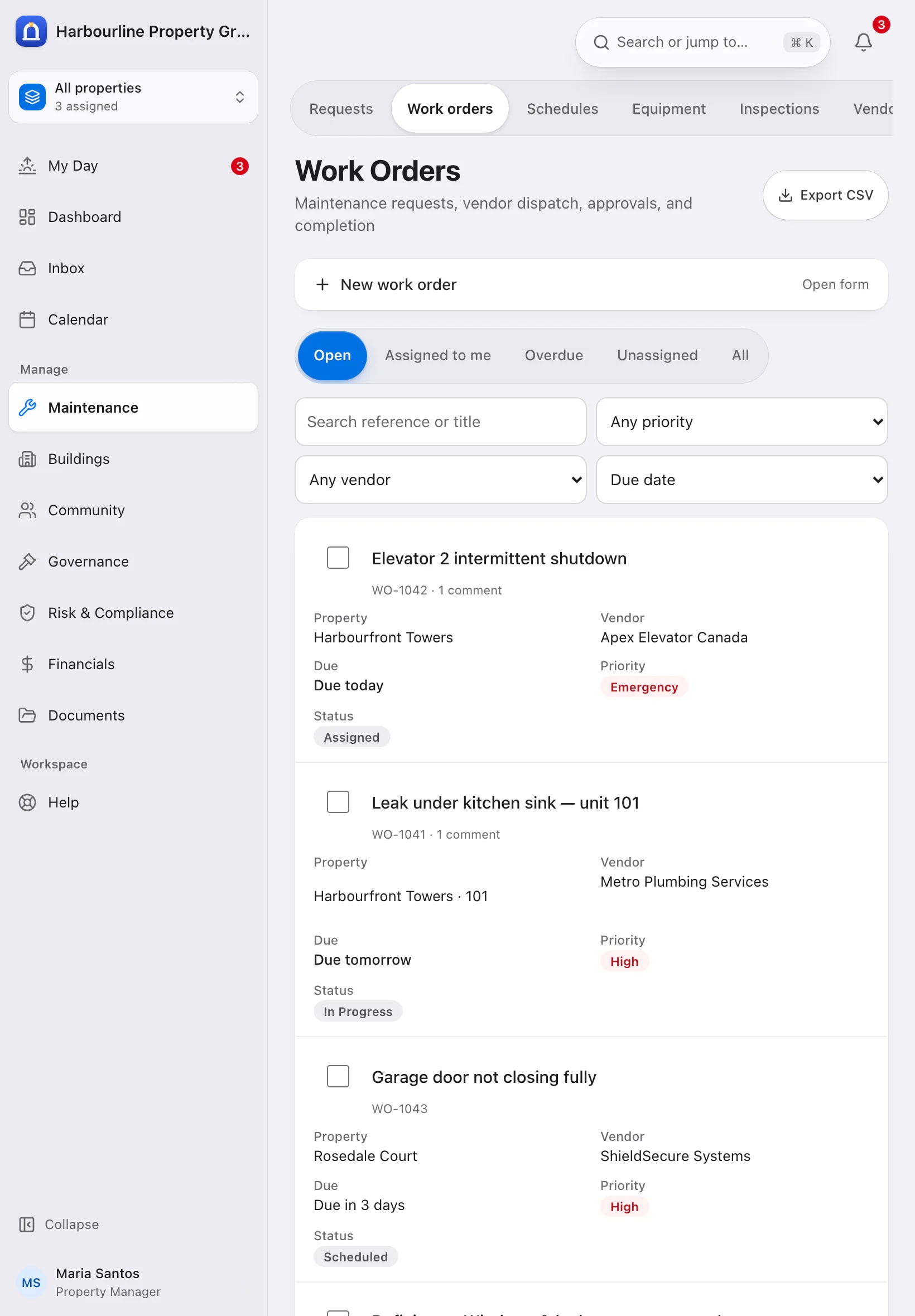
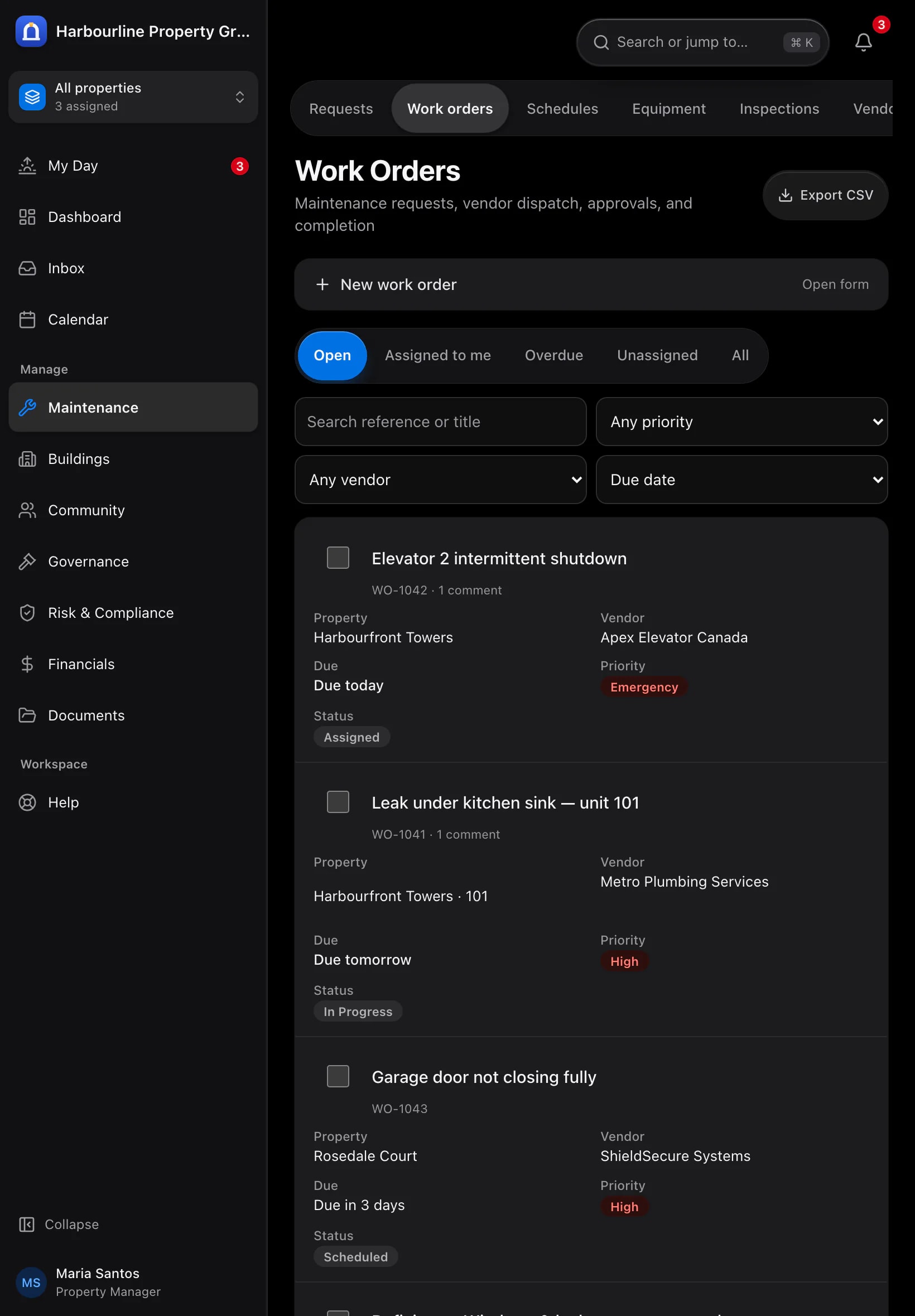
Current work on an iPad-sized screen. Sample data from Harbourline Property Group.
Chapter 03
Intelligent support, with human oversight
Prepare communications, summaries and reports with AI assistance. Your team reviews the supporting information and remains responsible for the decisions and communications that follow.
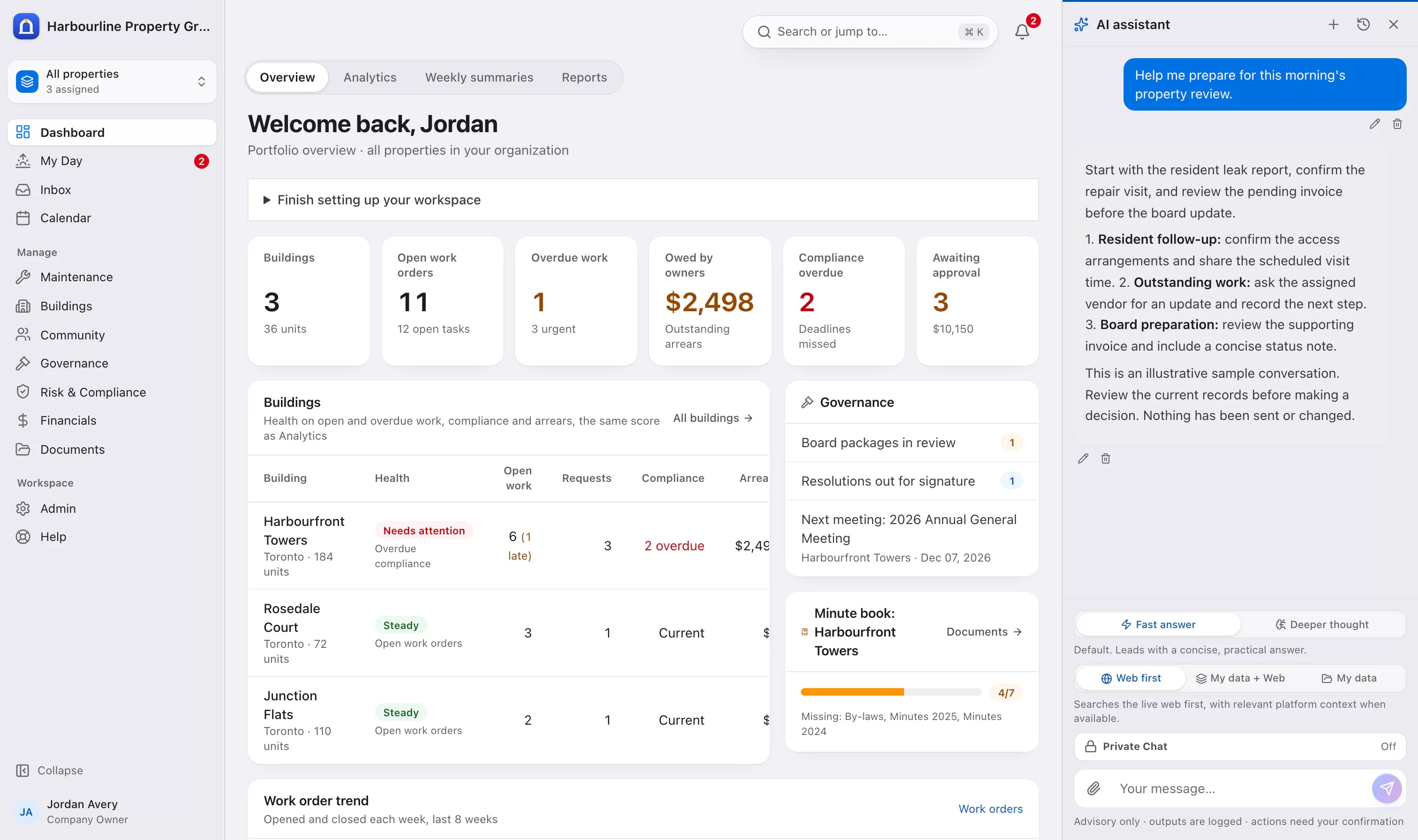
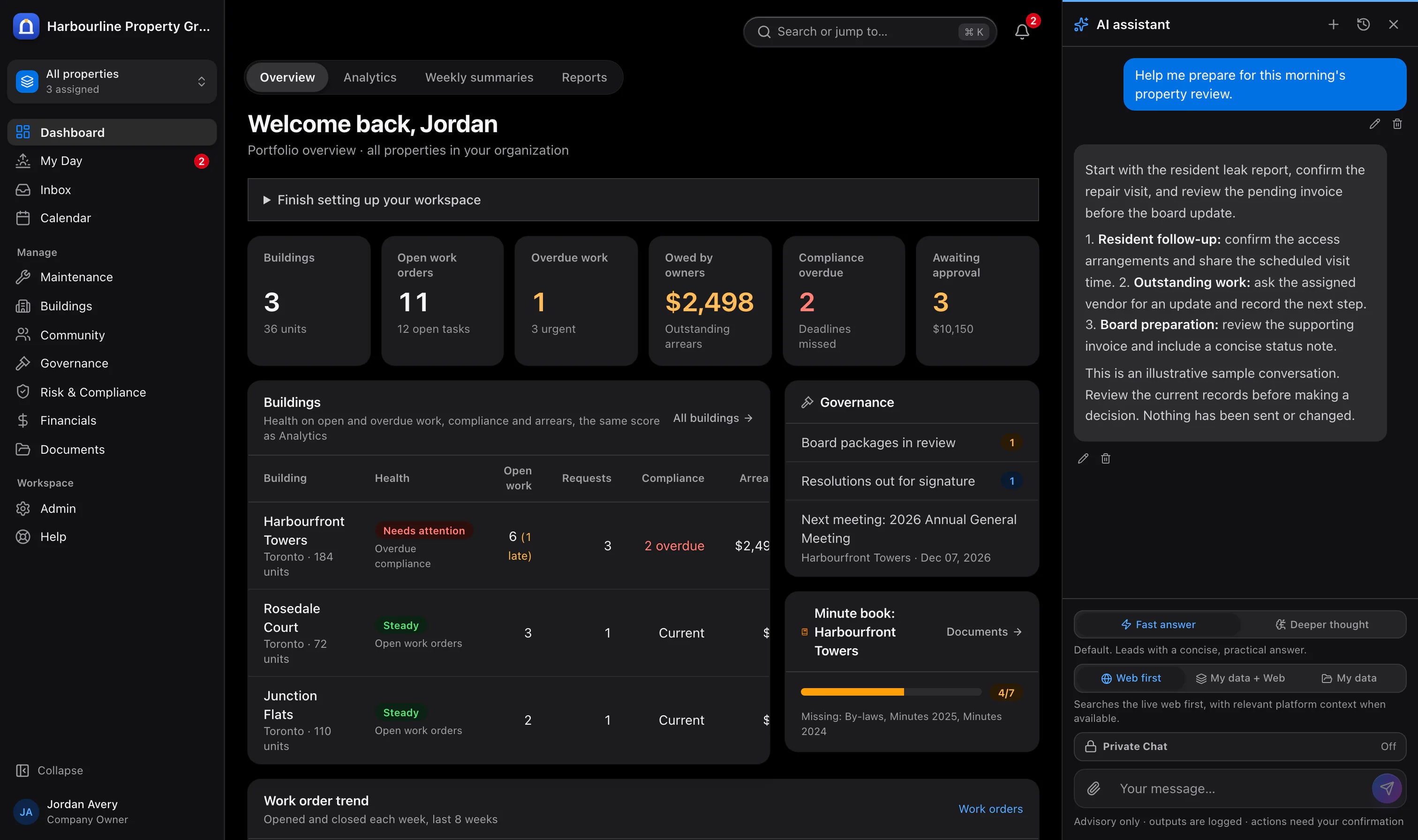
An illustrative sample conversation in the assistant. Review current records before acting. Sample data from Harbourline Property Group.
Choose an approach that fits your organisation
Consider AI options alongside your organisation's privacy requirements, expected usage and operating budget. Review recorded activity and estimated costs to understand where assistance adds value for your team.
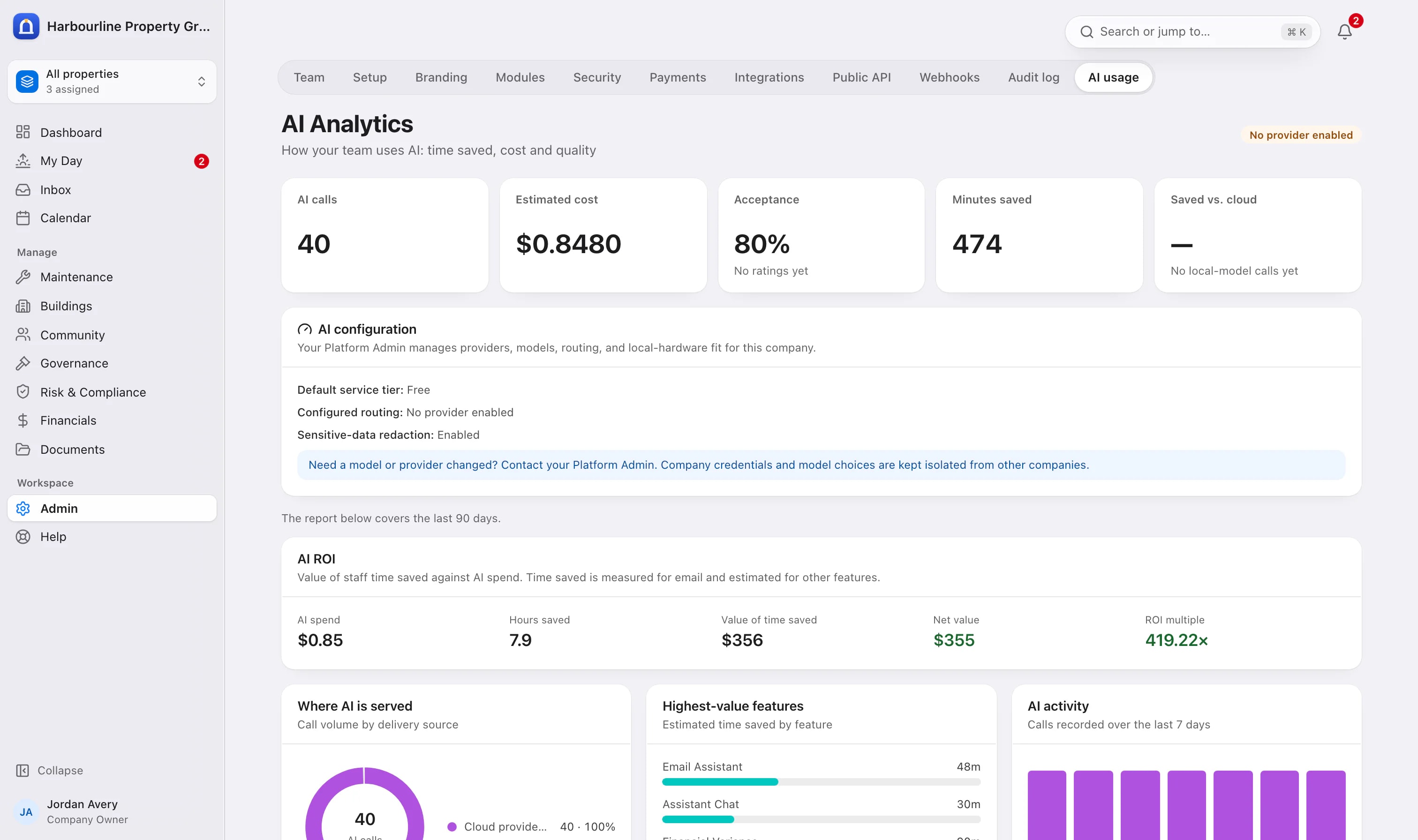
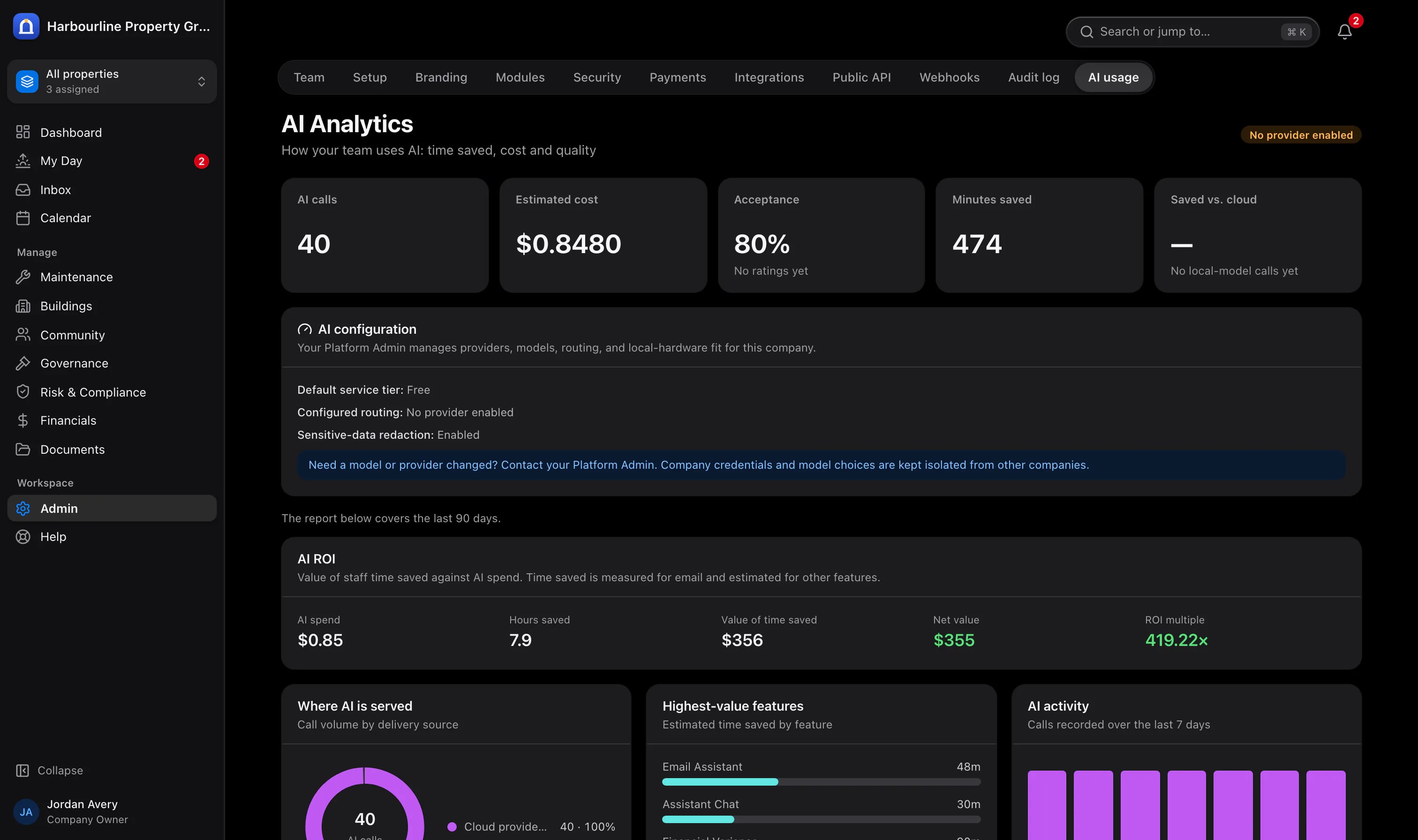
Recorded sample AI activity and estimated costs. Sample data from Harbourline Property Group.
Chapter 04
Built for the trust your clients place in you
Support responsible handling of personal, financial and corporate records with appropriate access, stronger sign-in and documented decisions.
Each company kept separate
Your data is never visible to another management company, and staff see only the buildings they are assigned to.
AI your team approves
AI-drafted replies, tasks and work orders are only sent or created once someone on your team confirms them.
A record of important decisions
Financial approvals, document changes, access changes and AI activity are recorded and can be exported for audits.
Protection for community information
Two-step sign-in, protected credentials, access by responsibility and property, record retention settings and company data export.
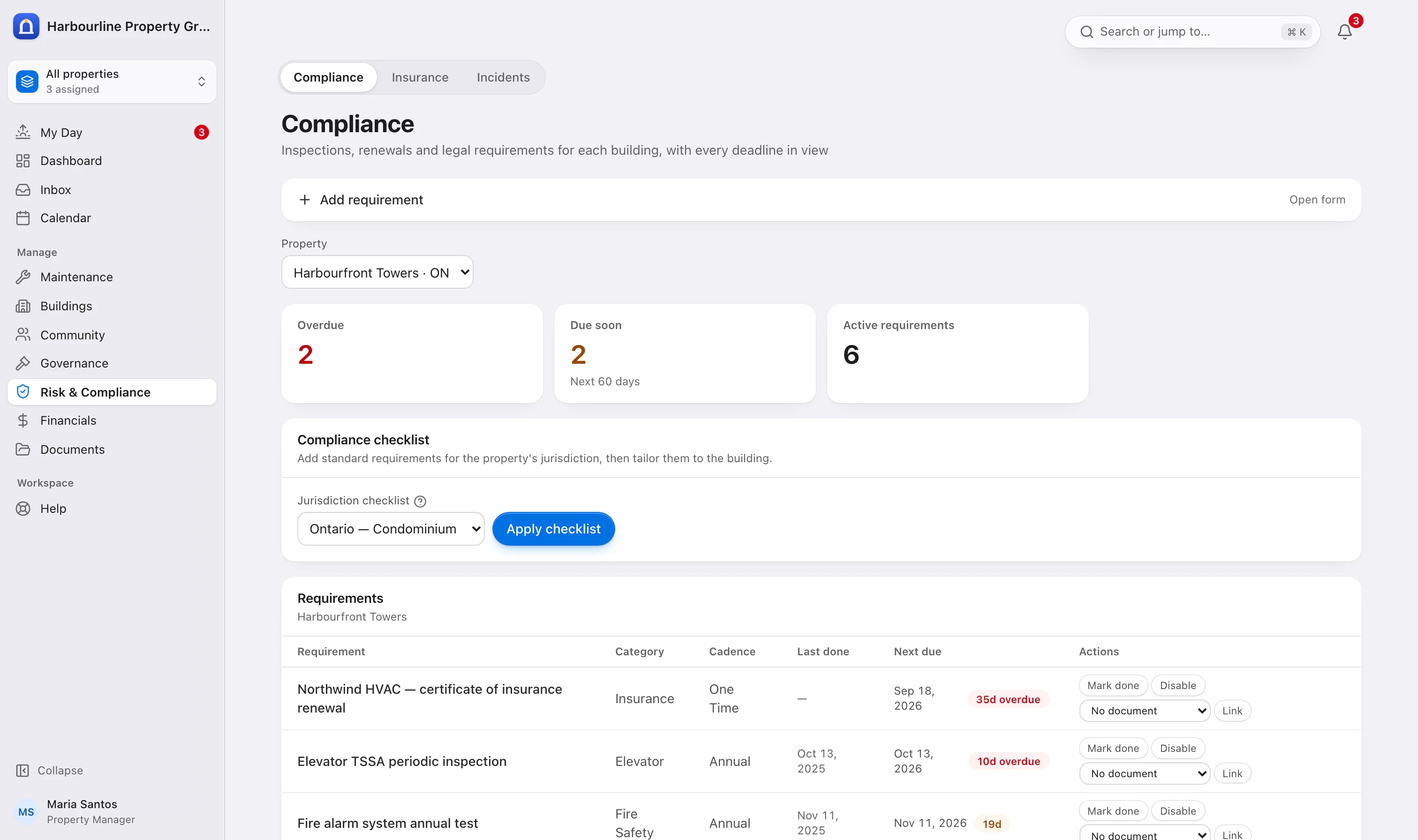
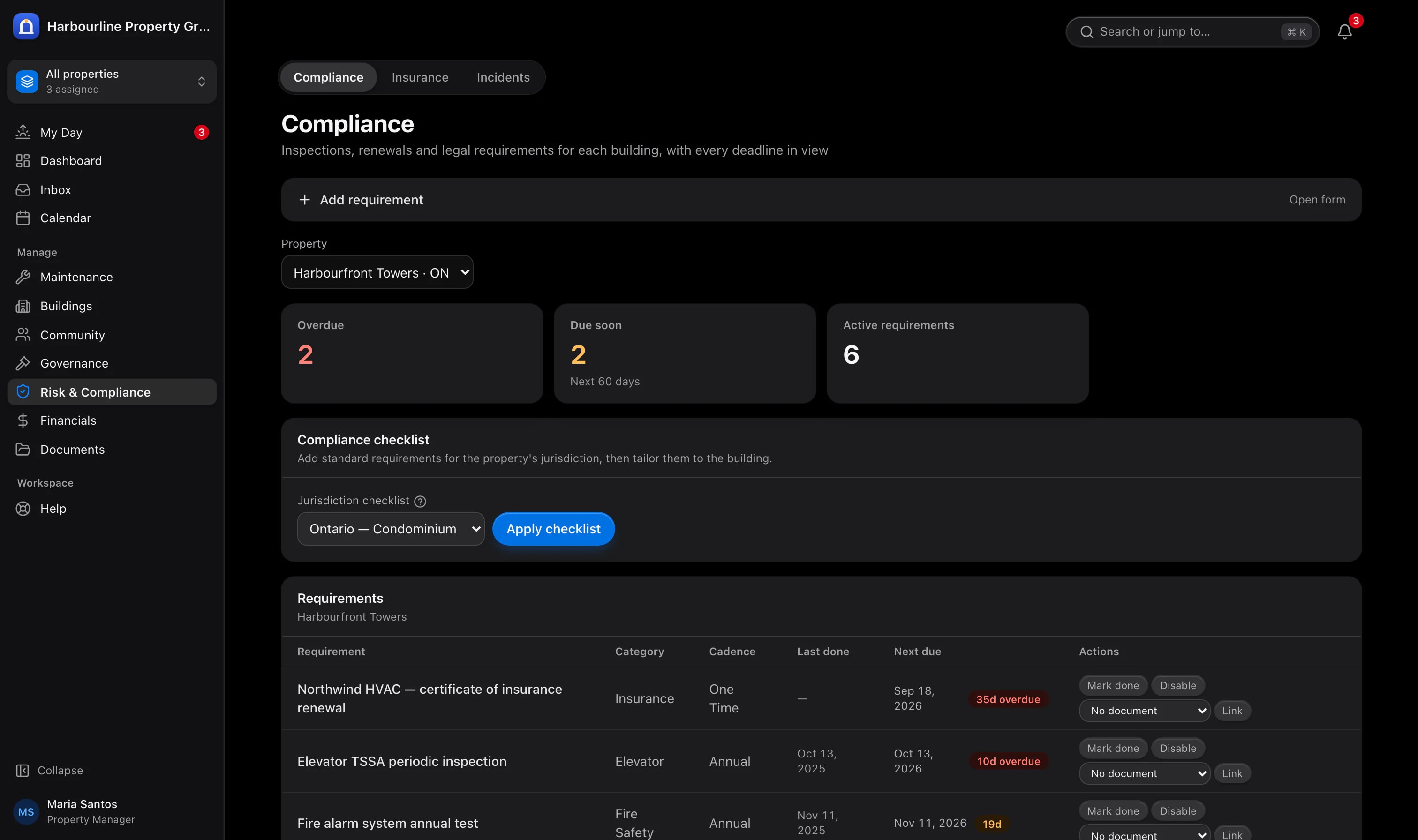
Upcoming and overdue compliance responsibilities remain visible for review. Sample data from Harbourline Property Group.
Chapter 05
Financial clarity for management and boards
Bring budgets, actual spending, invoice approvals and supporting records together to inform financial discussions throughout the year.
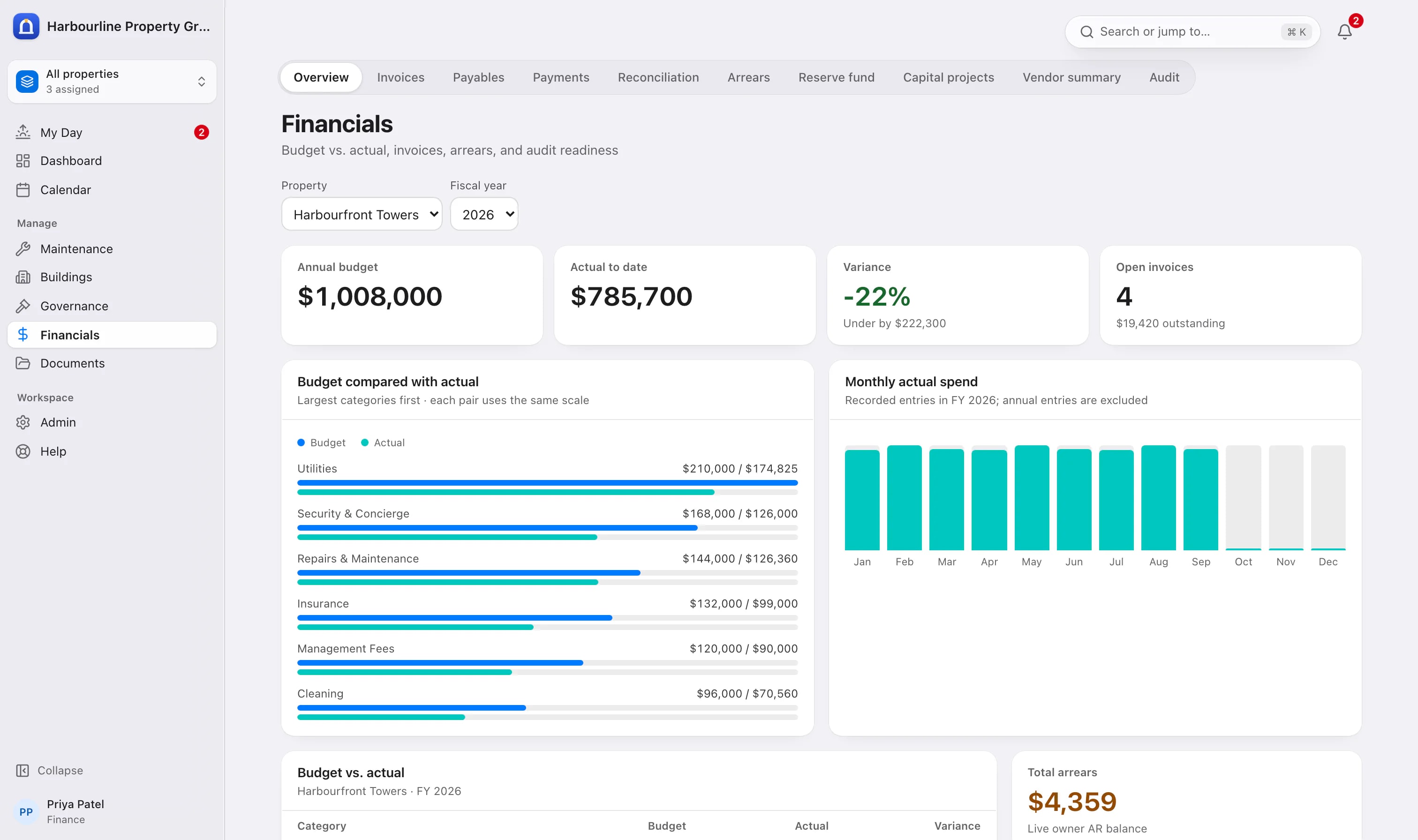
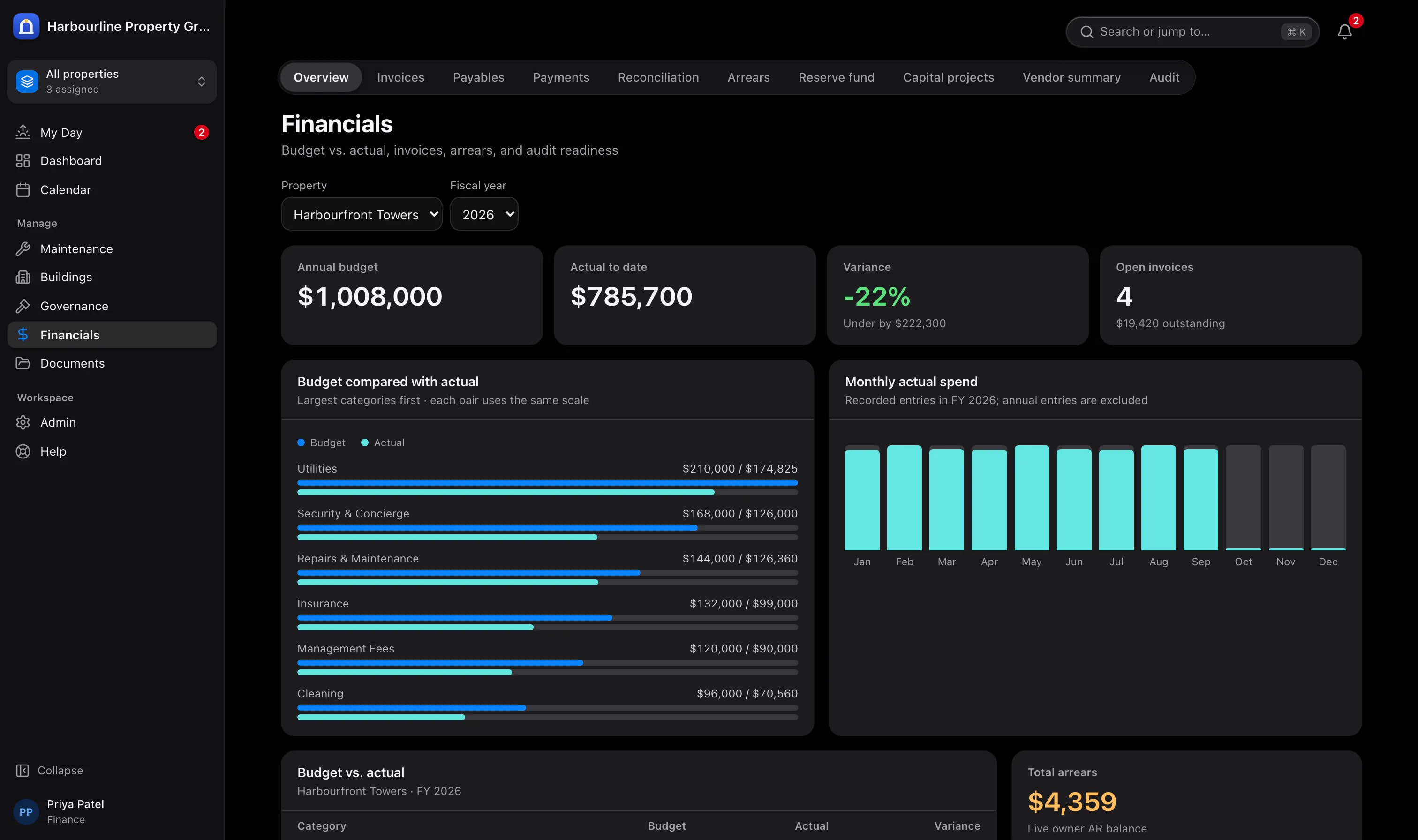
The finance team's budget and actual spending overview. Sample data from Harbourline Property Group.
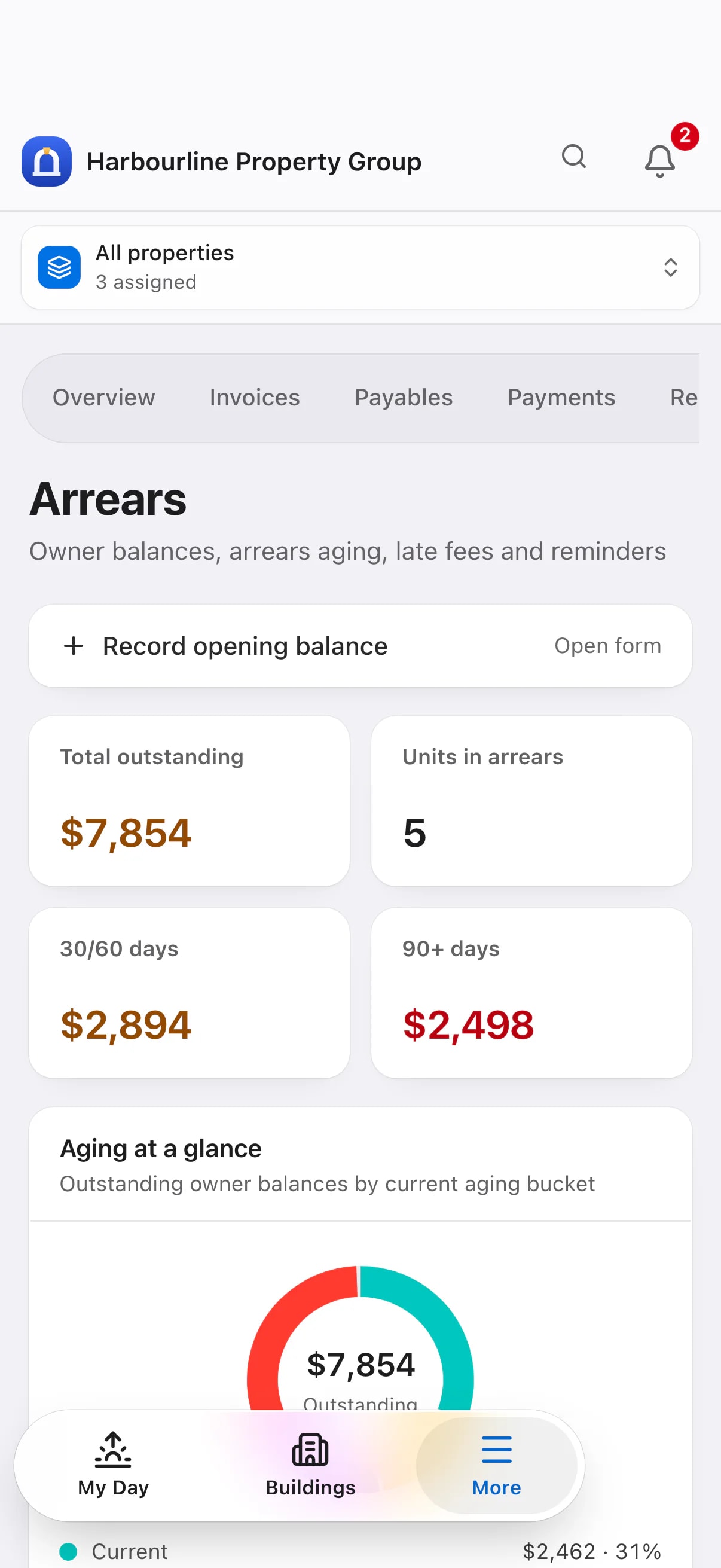
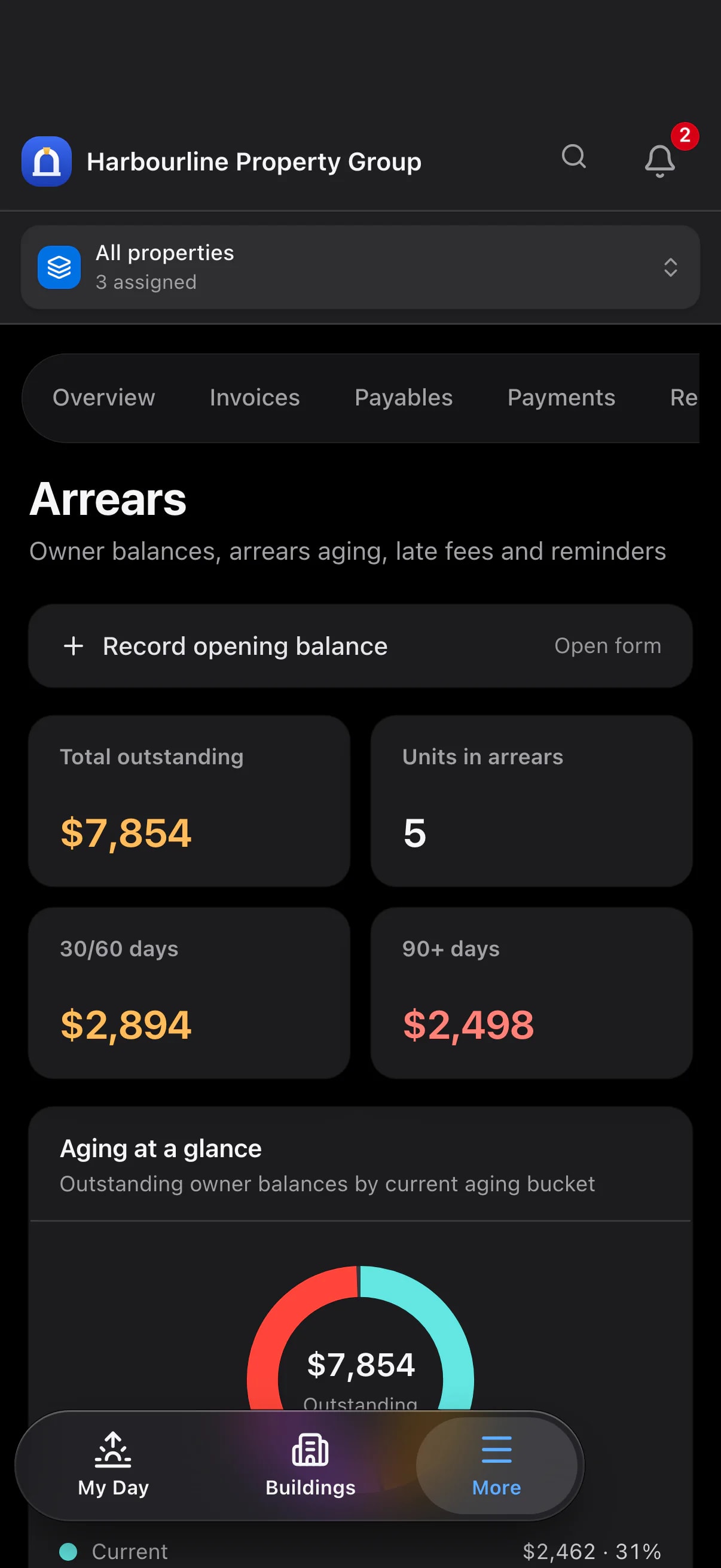
Outstanding balances on a phone. Sample data from Harbourline Property Group.
Chapter 06
A rollout built around your team
Introduce the platform in stages, aligned with your records, responsibilities and service priorities. The sequence and timing can be adapted to your organisation.
Phase 1
Plan the foundation
- Confirm portfolio records and team responsibilities
- Prepare properties, units, contacts and opening balances
- Agree on access and approval responsibilities
- Review compliance checklists for each property
Phase 2
Introduce daily services
- Connect staff email and introduce daily priorities
- Coordinate maintenance and vendor follow-up
- Prepare and review the first board package
- Introduce resident and board access in stages
Phase 3
Review and refine
- Review service response and team workloads
- Confirm spending limits and communication standards
- Assess how AI assistance supports your information policies
- Extend the rollout as your team is ready
What we need from you: property and unit records, contact lists, relevant financial information and the people responsible for service, approvals and information access. These form the starting point for a considered rollout.
Explore the possibilities for your portfolio
Arrange a guided walkthrough focused on your organisation, board responsibilities and resident service priorities.
propertyassistai.ca · propertyassistai.ca/demo